Create impressive presentations with ease
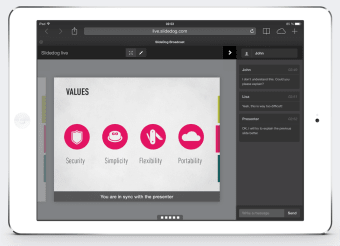
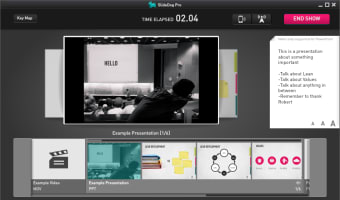
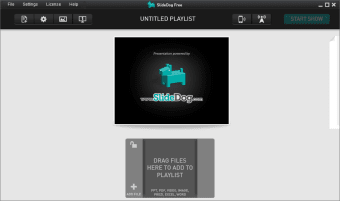
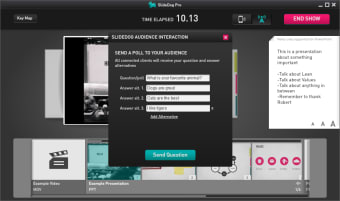
SlideDog is a powerful tool designed for handling multimedia that allows you to create impressive presentations using different files and media types. For instance, you can mix PowerPoint files, PDF documents, website snippets, images and movies together without worrying about format conflicts or issues. SlideDog works with a dual display which has a separate presenter screen with your playlist, timer and notes while the audience only sees your slides.
Top Recommended Alternative

Presentation playlist and Dual Monitor support
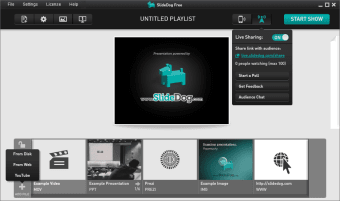
SlideDog creates impressive presentations from scratch. Everything is drag and drop similar to PowerPoint but with a slimline, if somewhat basic interface. The advantage of SlideDog is that it allows you to combine PowerPoint presentations, PDF files, Prezi presentations, movie clips and web pages at once. There are some cute little features. Presentation playlists are one of the most useful features of SlideDog as they allow you to setup a sequence of presentations to run in one go - great if you're lining up an afternoon of different presentations in a company meeting for example. SlideDog also supports Dual Screens - you can manage and direct elements of a presentation on your laptop while all the audience sees are the presentation slides themselves.
Easy to create imaginative presentations
SlideDog occupies a space somewhere between PowerPoint and KeyNote for Mac. It has a KeyNote style user friendly interface but will also be familiar to anyone that's used PowerPoint but with a more streamlined interface. Everything is based on drag-and-drop and the ability to organize playlists gives it something a bit extra. The ability to import PDFs and have them instantly turned into slides is also useful. However, SlideDog is still nowhere near as complete as tools such as PowerPoint and KeyNote but considering its free for personal use, it's extremely good.
A slick alternative to PowerPoint
If you're looking for a slick, free alternative to PowerPoint on Windows, then SlideDog is worth a try.